How to Use WhatsApp Automation to Scale Your Ecommerce Business
WhatsApp automation for ecommerce uses AI chatbots and the Business API to manage sales, support, and cart recovery. See the setup steps and top strategies
WhatsApp automation for ecommerce uses AI chatbots and the Business API to manage sales, support, and cart recovery. See the setup steps and top strategies
Most ecommerce brands treat WhatsApp as a support channel: a place to answer questions after the sale. The brands growing fastest have figured out something different: with 50% of users making purchase decisions directly through the app, WhatsApp is where sales happen now.
When a customer can ask about sizing, get a personalized recommendation, and complete their purchase without leaving the chat, the path from interest to transaction shrinks dramatically. This guide covers how to set up WhatsApp automation, the strategies that drive revenue, and the metrics that prove it's working.
WhatsApp automation for ecommerce refers to using AI chatbots and the WhatsApp Business API to handle customer conversations, sales, and support without manual intervention. Instead of a team member responding to every message, automated workflows manage inquiries, send order updates, recover abandoned carts, and guide shoppers toward purchases all within the chat.
The automation typically covers three areas:
Sales conversations: Product recommendations, catalog browsing, checkout assistance
Customer support: Order tracking, FAQs, returns and refunds
Marketing: Promotional broadcasts, abandoned cart recovery, re-engagement campaigns
What makes this different from a basic chatbot? The connection to your ecommerce stack. When automation pulls live product data, order history, and customer preferences, conversations become genuinely useful rather than generic.
WhatsApp offers two business solutions, and the difference matters more than most brands realize. Choosing the wrong one limits what you can actually automate.
The WhatsApp Business App is free and built for small businesses handling conversations manually. It includes a business profile, product catalog, quick replies, and greeting or away messages.
The catch? Everything beyond basic auto-replies requires a human. You can't connect it to Shopify, build AI chatbots, or send automated campaigns at scale. For stores managing fewer than 50 conversations daily, it works. For anything beyond that, it becomes a bottleneck.
The WhatsApp Business API is where real automation happens. It enables AI chatbot integration, CRM connections, automated workflows, and high-volume messaging all synced with your store's product and order data.
"API" simply means a way for different software systems to communicate. In practice, it's what allows your ecommerce platform to talk to your WhatsApp automation tool, so the AI knows what's in stock, what a customer ordered last month, and what they've been browsing.
Feature | WhatsApp Business App | WhatsApp Business API |
|---|---|---|
Cost | Free | Paid (per-conversation pricing) |
Automation | Basic (quick replies, away messages) | Advanced (AI chatbots, workflows) |
Integrations | None | CRM, ecommerce platforms, payment tools |
Message volume | Limited | Unlimited |
Best for | Small stores, manual management | Scaling brands, automated operations |
If you want abandoned cart recovery, broadcast campaigns, or AI-powered product recommendations, you'll want API access.
The business case comes down to one thing: removing friction at the exact moment customers are ready to buy.
WhatsApp messages see open rates above 90%, compared to email's 20-25% average. When a customer receives an abandoned cart reminder on WhatsApp, they're far more likely to see it and act on it than if the same message landed in their inbox.
Customers shop at all hours. An AI agent handles inquiries at 2 AM just as effectively as at 2 PM, capturing sales from different time zones without requiring additional staff. For brands selling across EU markets, this becomes particularly valuable.
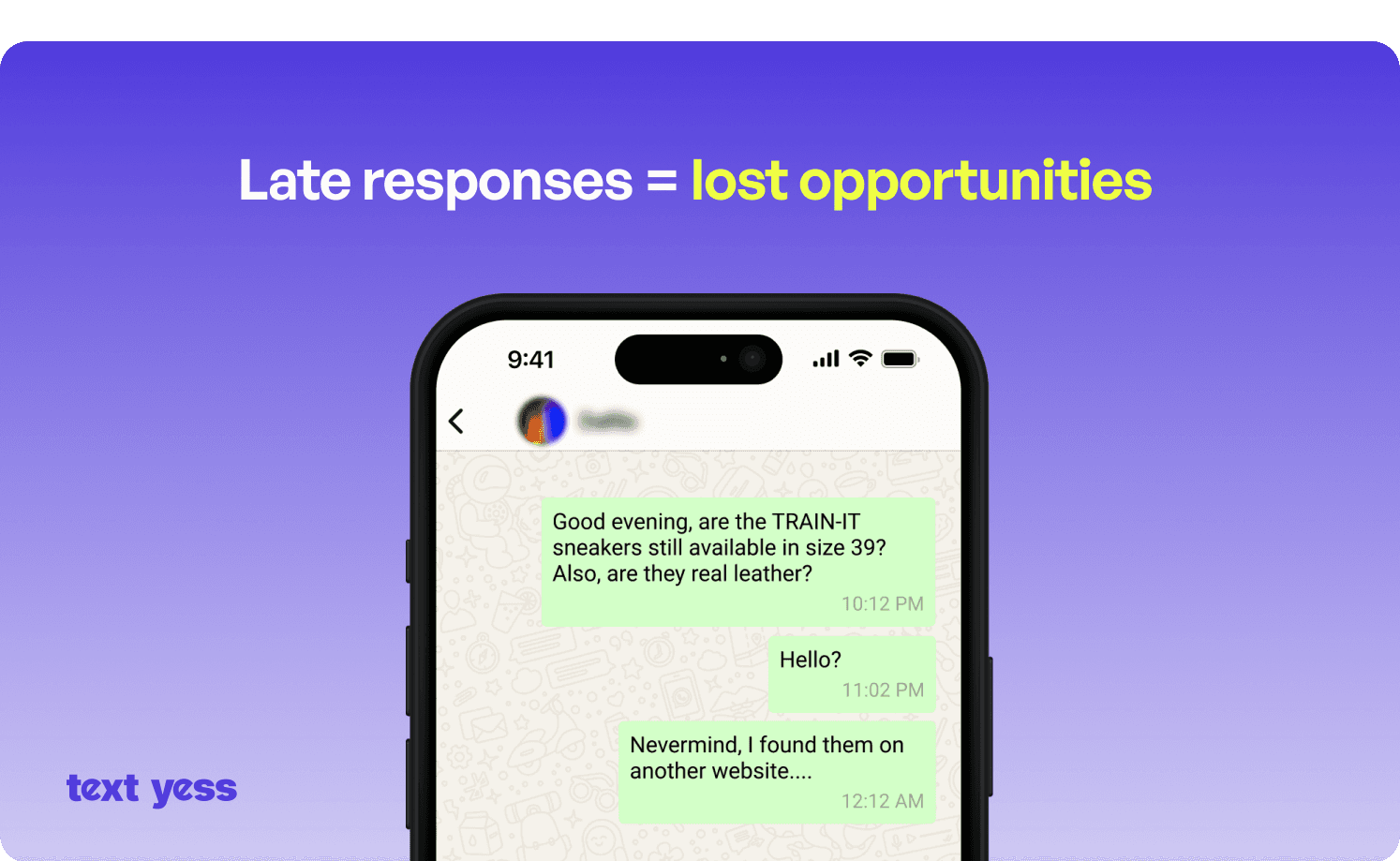
Automation tools pull from customer data order history, browsing behavior, preferences, to deliver recommendations that feel hand-picked. A customer asking about running shoes gets suggestions based on their size, past purchases, and what similar customers chose. This level of personalization previously required dedicated sales staff.
When WhatsApp connects to your ecommerce stack, every interaction builds a complete customer profile. The AI knows what someone browsed on your site, what they purchased last month, and what questions they've asked before. No customer has to repeat themselves.
With the foundation in place, let's look at specific automation workflows that drive measurable results.
Abandoned cart messages sent via WhatsApp typically outperform email with recovery conversion rates around 18% compared to email's 3-5%. The key is timing: sending within an hour of abandonment while purchase intent remains fresh.
Effective recovery messages include the specific items left behind, address common objections like shipping costs, and provide a direct link to complete checkout without leaving the conversation.
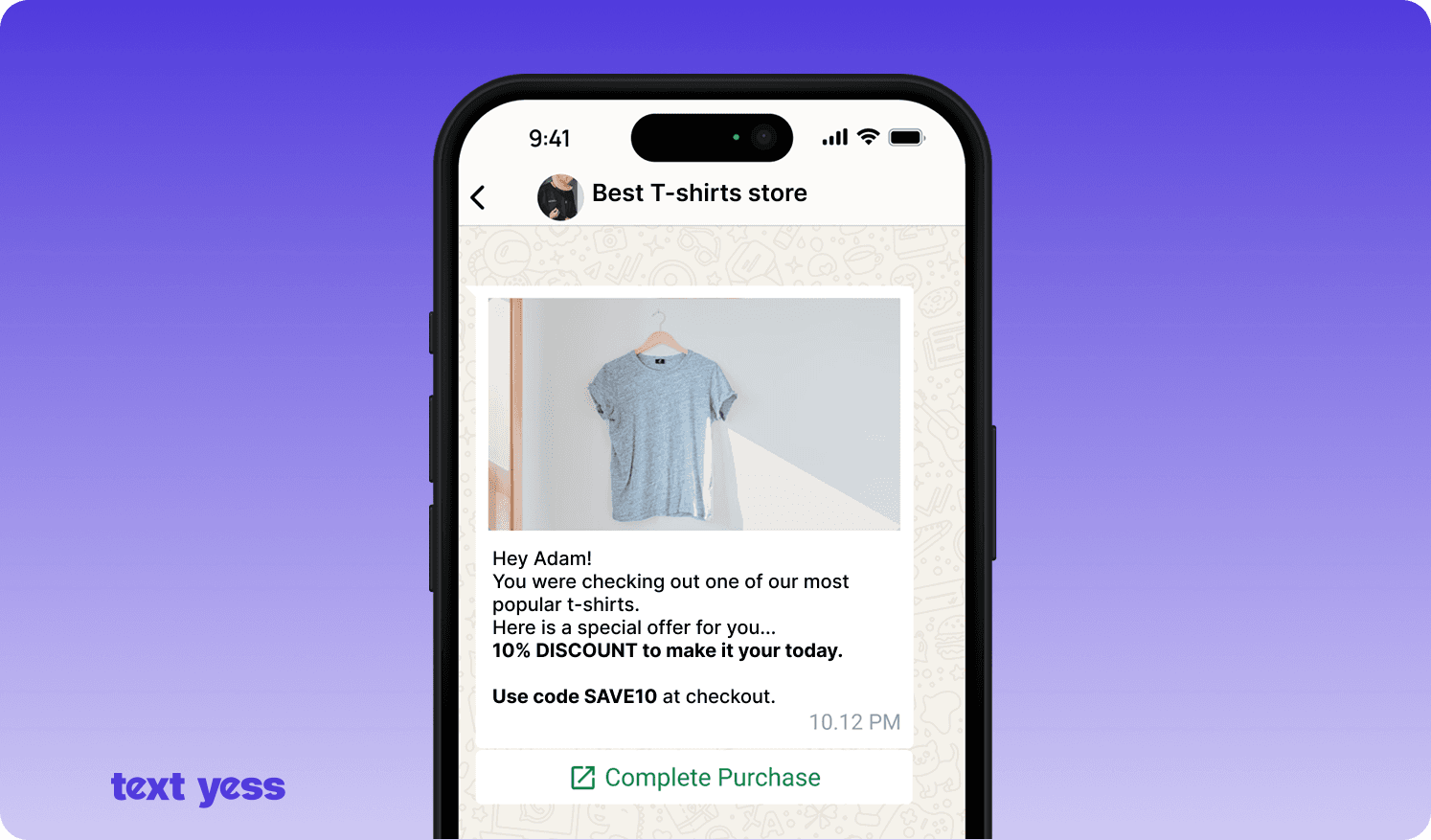
WhatsApp broadcasts let you send targeted promotional messages to opted-in subscribers. Unlike email blasts, messages land in a channel customers actually check, making broadcasts ideal for flash sales, new product launches, or exclusive offers.
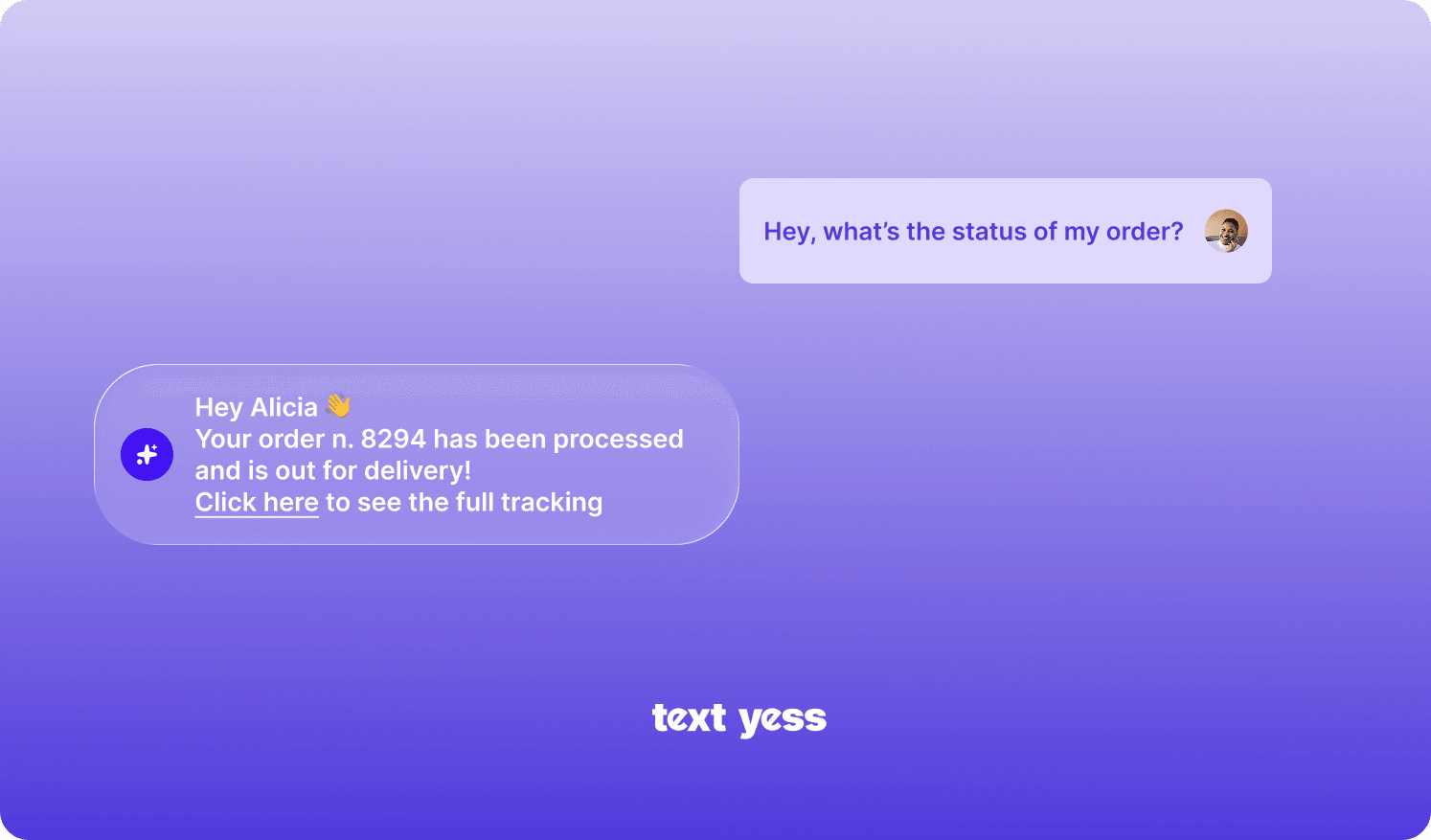
Automated transactional messages (order confirmation, shipping tracking, delivery updates) reduce "where is my order" support tickets while building trust. Customers stay informed without having to ask.
AI agents can suggest products based on customer questions, preferences, or purchase history within the conversation. When someone asks "what goes well with this jacket?", the agent recommends complementary items from your catalog.
Reaching out to dormant customers with personalized offers or product lifecycle reminders like replenishment, upgrades, seasonal suggestions, brings them back without waiting for them to return on their own.
Facebook and Instagram ads can open a WhatsApp conversation directly, with click-to-WhatsApp ads growing 60% year-over-year. Instead of sending traffic to a landing page, you're starting a dialogue where questions get answered and purchases happen in the same thread.
There are many ways to use Whatsapp AI-powered conversations, with TextYess you don't have to choose one exclusive function. Thanks to AI and synced data, the AI always operates with context of your business and the single customer.
A chatbot asks qualifying questions, about size, style, budget, and recommends matching products from your catalog. It's like having a sales associate who never takes a break.
This handles common questions about shipping, returns, sizing, and store policies. For complex issues, it hands off to a human agent seamlessly.
Customers provide their order number and receive real-time status and shipping updates instantly. So that customer care can focus on more challenging tasks.
After a purchase, the chatbot suggests complementary products or upgrades based on what the customer just bought. A customer who ordered a camera might see lens recommendations the next day.
Getting started follows a logical progression. Most brands can go from setup to live automation in a single session.
Sync your store (Shopify, WooCommerce, Magento) to pull product catalog, customer data, and order information into your WhatsApp automation tool. This connection enables the AI to provide accurate, real-time information.
Access the API through a Business Solution Provider (BSP): an official WhatsApp partner that handles the technical setup. Platforms like TextYess manage this complexity, so you don't have to navigate the application process yourself.
Set up the chatbot's goals, tone of voice, and knowledge base (products, policies, FAQs). Modern platforms make this possible without code: you define what the agent knows and how it sounds.
Collecting opt-ins before sending messages is essential for compliance. Website chat widgets, checkout page checkboxes, click-to-WhatsApp ads, QR codes on packaging, and email signup forms that include WhatsApp consent.
After launch, monitor conversations, review analytics, and refine automated responses based on performance. The first version is rarely the final version.
Once initial automations are running, a few practices help expand effectively.
Configure AI agents to match your brand tone so automated messages feel consistent with other customer touchpoints. A luxury brand and a streetwear label shouldn't sound the same.
Scaling globally requires automated conversations in customers' local languages. For EU expansion, this means more than translation: it means understanding regional communication styles.
AI handles volume and speed; humans step in when situations call for judgment, empathy, or authority. The strongest implementations treat them as a team, not a replacement.
WhatsApp has specific rules: opt-in requirements, message templates for outbound messages, and prohibited content. Staying compliant protects your account and your customer relationships.
Tracking the right metrics reveals whether your investment delivers returns.
Conversion rate: Percentage of WhatsApp conversations resulting in a purchase
Response time: How quickly automated responses are delivered
Autonomous resolution rate: Share of conversations handled entirely by AI
ROAS: Return on ad spend for click-to-WhatsApp campaigns
Cart recovery rate: Percentage of abandoned carts recovered via WhatsApp
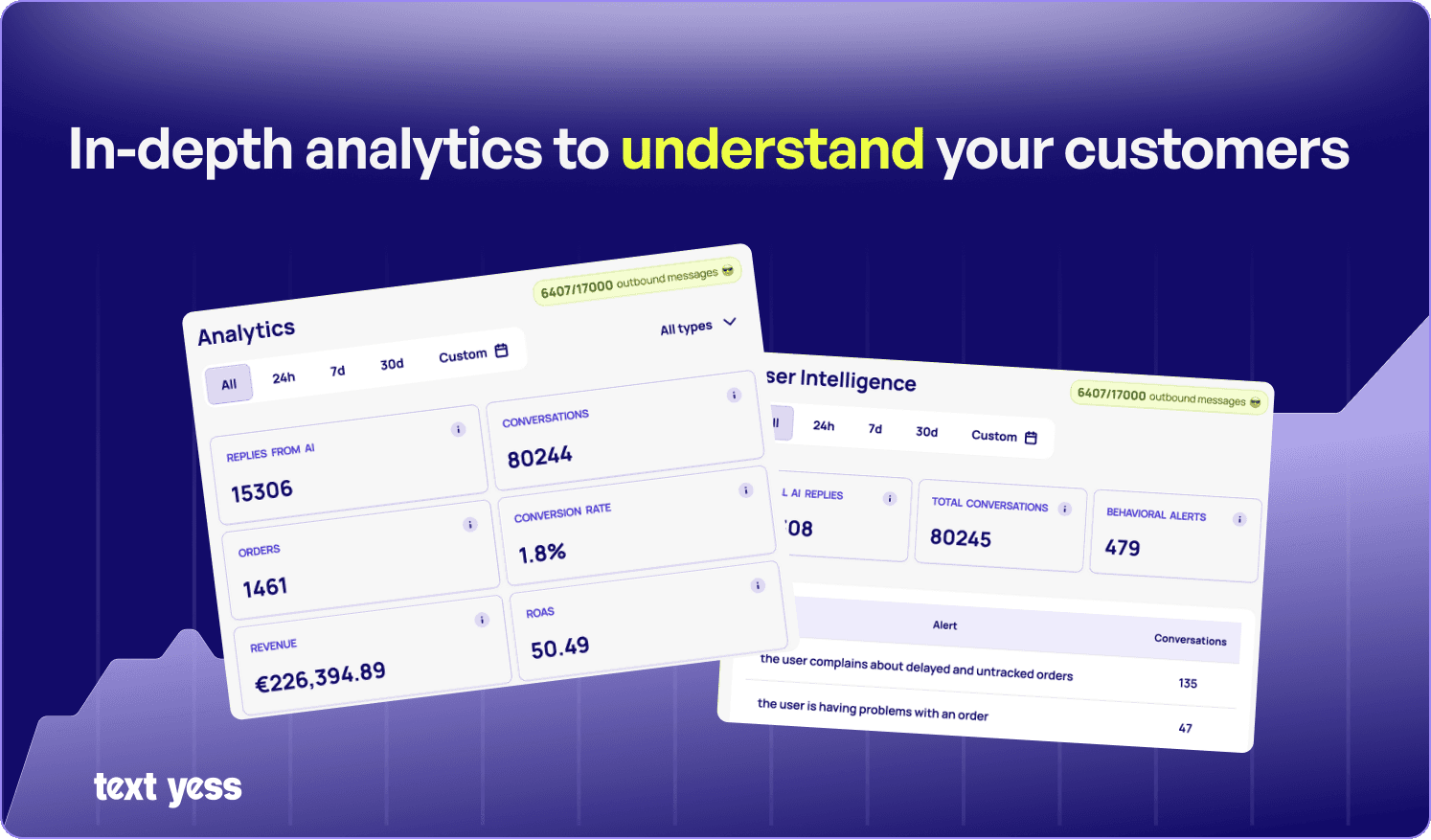
Tracking which sales originated from WhatsApp interactions proves ROI and justifies investment. Without this attribution, optimization becomes guesswork.
Dashboards showing customer intent, campaign performance, and conversation outcomes help teams iterate and improve. A high autonomous resolution rate with a low conversion rate, for example, suggests the AI handles conversations efficiently but isn't closing sales: a signal to adjust the approach.
WhatsApp automation is a revenue driver that boosts six-month retention by 42%. The brands seeing the strongest results treat messaging as a primary sales channel, not an afterthought.
Platforms like TextYess enable brands to turn conversations into revenue with AI agents across site, WhatsApp, and voice, often going from setup to sales in minutes. For ecommerce teams ready to scale without scaling headcount, WhatsApp automation offers a clear path forward.
TextYess is built specifically for this use case.
When you connect your store, the platform syncs your product catalog, order history, and customer data automatically — so the AI Shopping Agent on WhatsApp has everything it needs to answer questions, recover abandoned carts, and close sales without manual input.
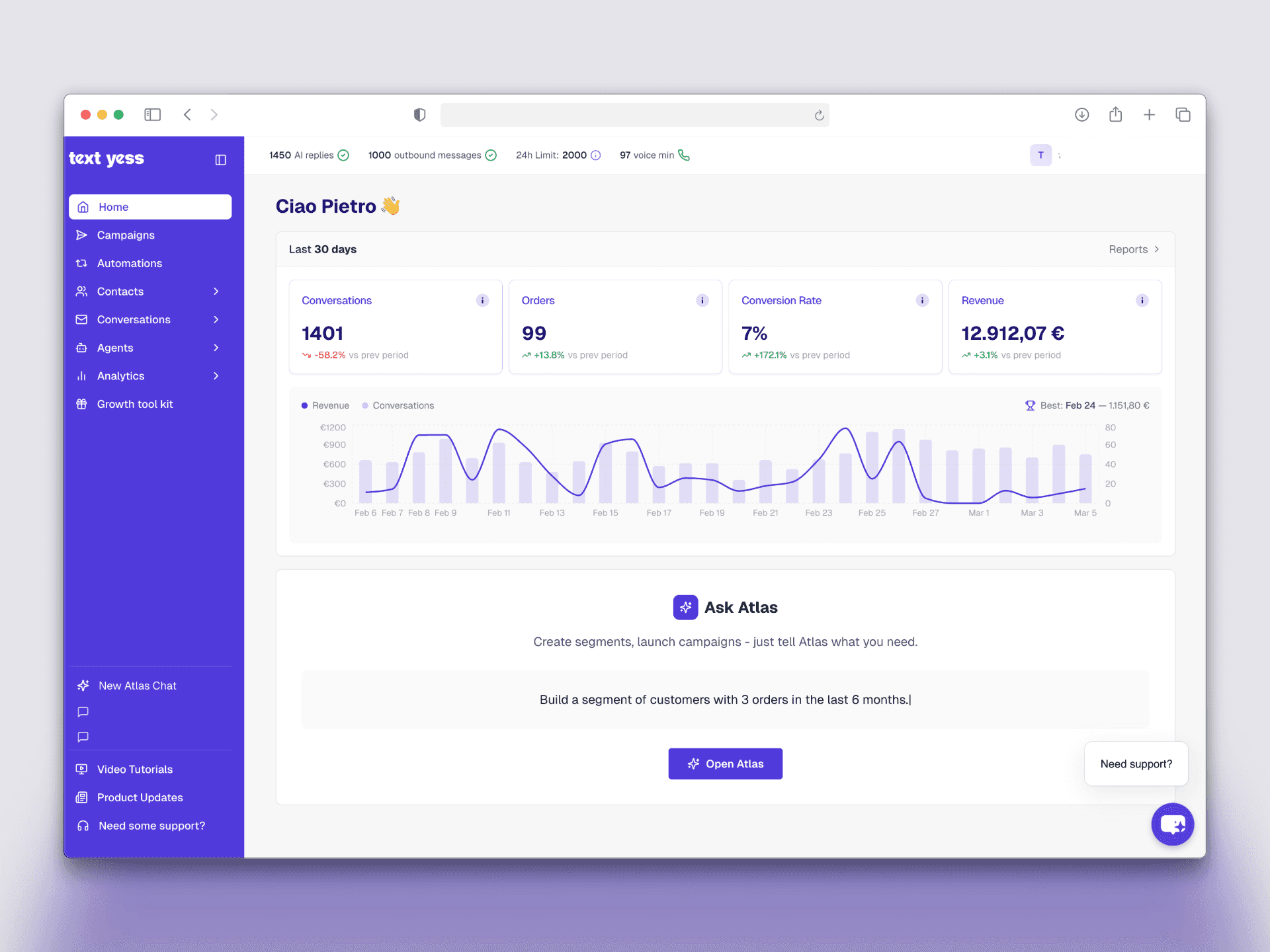
Proactive conversation triggers handle the timing: an abandoned cart message goes out within the hour, a re-engagement campaign reaches dormant customers before they forget you exist. Every interaction is tracked in a unified inbox alongside real-time analytics covering conversion rate, autonomous resolution rate, and campaign ROAS — the exact metrics covered above.
Setup requires no code, and multi-language support means EU expansion doesn't require rebuilding your workflows from scratch.
If you want to see how it fits your store, book a demo with the TextYess team.
Is WhatsApp automation legal for ecommerce businesses?
How much does WhatsApp Business API access cost?
Can ecommerce brands automate WhatsApp messages without coding?
How do ecommerce stores collect WhatsApp opt-ins from customers?